Driving Instructor: Road Test
- 4.1
- Rating
- 1.00M
- Installs
- Free
- Price

 Analysis by App-foxy
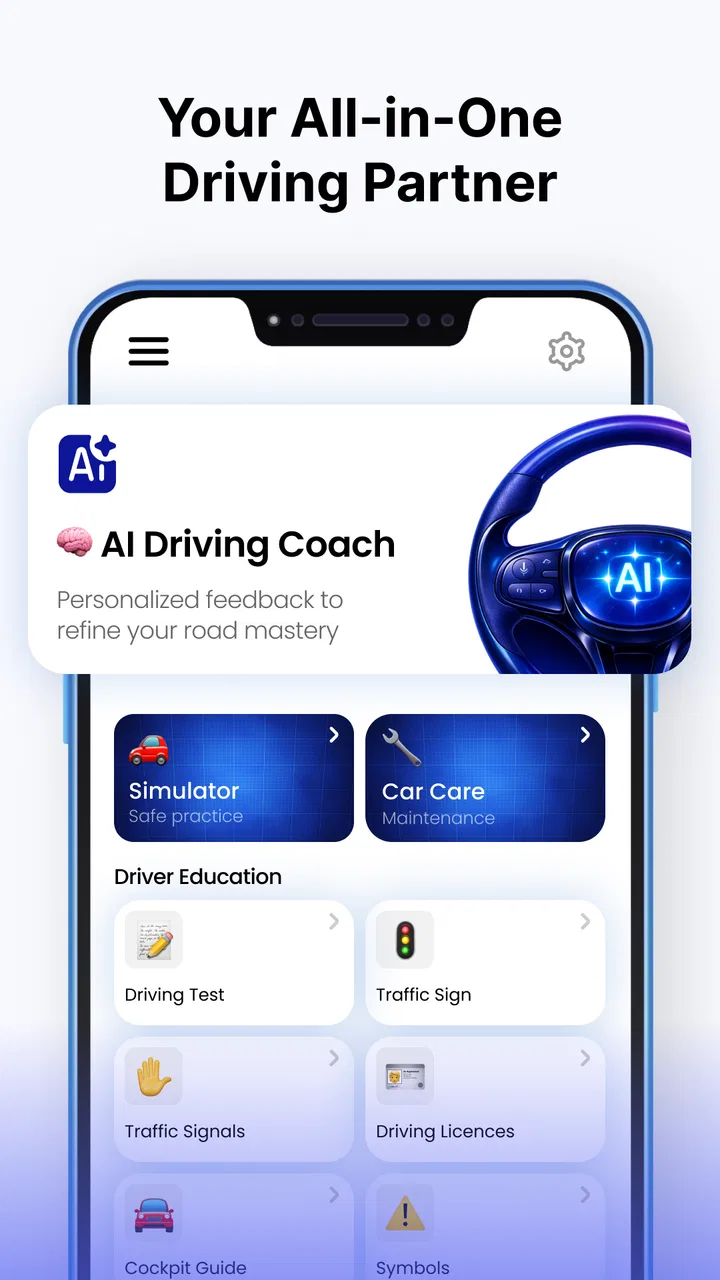
When a driving app is used on a shared phone, the most important question is not simply whether it contains useful lessons. It is whether different people can use it without confusing one person’s practice with another’s. I looked at Driving Instructor: Road Test from that practical angle because its mix of traffic-sign learning, exam practice, speed-camera alerts, and offline maps makes it more than a single-purpose quiz tool. It is an Android app in the Auto & Vehicles category from Dijital Elma, and it is free to install, although individual in-app items range from six dollars and ninety-nine cents to thirty-nine dollars and ninety-nine cents.
My first impression was that this is aimed at people who want driving preparation in one place rather than a collection of separate utilities. A learner can study signs, test recall, think about road awareness, and use map-related tools in the same app. That combination is appealing for a household where one person is preparing for a theory exam and another simply wants a quick reference while planning a route. Still, the app works best when everyone treats it as a study aid and navigation companion, not as a replacement for an instructor, official road rules, or attentive driving.
How it fits into a shared household routine
When a driving app is shared, I find it helps to agree on a simple handover routine rather than assume everyone will use it in the same way. This section looks at how a household can make room for quick revision and trip preparation without turning one person’s session into another’s confusion.
You May Also Like

 Blood Strike: 2.5 Anniversary
Blood Strike’s Loadouts Turn Every Drop Into a Tactical Gamble
A close look at Blood Strike’s custom loadouts: how fast access to signature weapons reshapes its battle royale rhythm, rewards preparation, and narrows the gap between fights.

 Pandora - Music & Podcasts
Pandora’s Music Is Easy to Start, but Harder to Recover
Pandora’s strength is its low-effort path from a seed to a station. Its weak spot is how much confidence it asks you to place in connection, setup, and quiet recovery.

 8 Ball Pool
 Is Built on Rivalries, Rematches, and Routine
A close look at the rivalries, rematches, shared routines, and unanswered safety questions that turn a quick pool match into a persistent mobile community.

 Samsung Music
’s Quiet Strength Is Playing What You Already Own
Its reach comes less from spectacle than from dependable access to a personal library. That simplicity is both the app’s strongest retention engine and its ceiling.

 AccuWeather: Weather Radar
AccuWeather Review: A Quick, Clear Forecast for Everyday Decisions
For everyday plans, the best forecast is the one you can understand quickly. AccuWeather makes rain timing, radar, and local conditions easy to act on, with a few trade-offs.

 Hill Climb Racing
Why Hill Climb Racing Still Turns Crashes Into One More Run
A tiny car, a bumpy hill and one more upgrade: Hill Climb Racing keeps resurfacing because its simple chaos makes every near-miss feel personal.
More From Our News Desk
View All News


A realistic evening with one phone
Imagine a parent and a new driver sharing a device after dinner. The learner opens the traffic-sign material for a focused study session, then moves to practice exams while the parent checks the map tools for an upcoming trip. That sounds simple, but shared use can become messy if the next person assumes the screen reflects their own progress or settings. I would therefore use the app in clearly separated sessions: one person studies, closes the relevant screens, and hands over the phone only after the other person knows what is being used.
The app’s offline-map capability is particularly useful in this situation. A learner can prepare before leaving home instead of depending entirely on a mobile connection during a journey. I would still plan the route in advance and avoid operating the phone while driving. Speed-camera alerts may support awareness, but they should never become a reason to stare at the screen, drive faster, or treat an alert as a substitute for observing signs and local limits.
For a family, the strongest shared-device use case is short, repeatable practice. Ten or fifteen minutes of sign review before a lesson can be more useful than opening the app once and attempting a long session. One person can read a sign, explain what it means, and then let the learner answer without immediately looking at the explanation. That turns the app into a conversation tool rather than a passive scrolling exercise.
Why the combination of tools matters
Many driving apps concentrate on one task. A theory-test app may offer questions but no map support. A navigation app may provide route guidance but little structured learning. A dedicated speed-camera tool may focus on alerts without helping a beginner understand the signs around them. Driving Instructor: Road Test brings these areas together, which is its clearest practical advantage.
That blend also creates a trade-off. A learner may jump from exam questions to maps and then to alerts without building a consistent study habit. I found it more sensible to assign each feature a separate purpose: use sign learning for recognition, practice exams for checking recall, offline maps for preparation, and alerts as an additional awareness aid. This simple division keeps the app from feeling like a pile of unrelated driving tools.
The useful insight is to treat the app as a preparation system, not a dashboard to operate continuously while driving. Its value is highest before a trip or lesson, when the user has time to think. During a journey, the priority remains the road, the vehicle, and legal driving behavior.
Where it sits beside familiar alternatives
Compared with paper road-sign books, the app is easier to carry and more convenient for quick practice. Compared with a normal navigation app, it offers a learning angle that route-focused products usually lack. Compared with a formal driving-school platform, however, it is less personal: an app cannot watch a learner’s habits, correct steering, judge observation, or adapt a lesson in the way a qualified instructor can.
I would choose it for revision between lessons, especially when I wanted signs and practice questions available without carrying printed material. I would not choose it as my only preparation method for a driving test. The better combination is app-based revision plus official study material and real instruction. That approach also helps prevent overconfidence after a good practice result.
Setting it up without mixing people or expectations
Before different people take turns, I would make the purpose of each session clear: study, route preparation, or a quick reference. That small reset helps everyone approach the app with the right expectations, and it leads naturally to a more deliberate setup.
Start with a clear purpose
Because the app covers several driving-related tasks, the first setup decision should be what the current user is trying to accomplish. A learner preparing for a theory exam should begin with signs and practice exams. Someone planning a journey should focus on map preparation. A household using the same phone should avoid changing from study to navigation halfway through a session unless everyone understands the switch.
I would also establish a simple handover routine. Before giving the phone to someone else, finish the current quiz or note where the learner stopped. If a map is open, close it or explain that it was prepared for a particular trip. This is not a technical family-management feature; it is just good shared-device etiquette. The app can be useful for several people, but the responsibility for keeping sessions separate belongs to the users.
The age rating is Everyone, which makes the app broadly suitable for a household with younger users who are interested in road signs. That does not mean every feature or every driving decision is appropriate without adult guidance. A child can learn what a sign means, but that is very different from being ready to interpret live traffic independently. I would keep the educational activity age-appropriate and make sure a responsible adult explains the difference between a quiz answer and a real road situation.
What to do about paid items
The app is free to install, but paid in-app items are available. In a shared household, this is where a little coordination matters. Before anyone taps a purchase option, the person responsible for the device or store account should decide whether the item is wanted. I would not hand the phone to a child or a learner and assume that “free to install” means every part of the experience costs nothing.
The listed price range runs from six dollars and ninety-nine cents to thirty-nine dollars and ninety-nine cents per item. That is a meaningful difference, so I would inspect each purchase screen carefully rather than treating all upgrades as minor add-ons. If the app is being tested by several people, start with the free experience and decide whether it genuinely improves the household’s routine before spending money.
This is also a useful boundary for shared devices: one person should make purchase decisions, while everyone else can suggest what would help. That avoids an awkward situation in which a learner selects something during a practice session and the account owner discovers the charge later. The app itself may be simple to open, but household use still benefits from a clear agreement about spending.
Keeping study and navigation separate
One of the more important setup habits is to prepare offline maps before the journey rather than trying to solve connectivity problems on the road. Offline access can be valuable in areas with weak coverage, but it does not remove the need to check the route beforehand. I would verify the destination, understand the general path, and then put the phone away or mount it safely before moving.
Speed-camera alerts deserve the same careful treatment. They can remind a driver to pay attention, but an alert may not describe every legal or road-safety consideration. Weather, roadworks, temporary restrictions, and changing signs still matter. I would use alerts as a prompt to review my speed and observation, never as permission to drive at a particular pace.
A practical household workflow is to let the learner prepare the map with an adult, discuss the route briefly, and then leave the phone alone while the car is moving. This gives the learner useful planning experience without encouraging constant screen interaction. It also makes the app’s offline function more valuable: the preparation happens before the pressure of live traffic begins.
Coordinating practice between lessons
Between formal lessons, short practice sessions can give a learner something specific to discuss with an instructor instead of relying on a vague sense of progress. I would note down a confusing sign or question and bring it up at the next lesson, keeping app-based revision connected to real coaching.
Turning quizzes into useful learning
Practice exams are most helpful when the user studies mistakes instead of chasing a perfect-looking result. After an incorrect answer, I would pause and explain why the chosen option was tempting, then connect it to the underlying sign or rule. In a shared household, another person can ask the learner to explain the answer in their own words. That reveals whether the learner understands the concept or merely remembers a pattern.
Traffic-sign learning benefits from the same approach. Rather than memorizing isolated images, I would group signs by what they ask a driver to do: notice a warning, follow an instruction, observe a restriction, or identify information. The app gives the material a convenient home, while the conversation adds context that a screen alone may not provide.
A non-obvious advantage of this method is that it exposes uncertainty early. If a learner repeatedly recognizes a sign but cannot describe what action it requires, the problem is not visual memory; it is decision-making. That is exactly the kind of weakness worth discussing with a driving instructor before it appears in a real lesson.
Using the app before, not during, a drive
I would build a three-stage routine around the app. Before leaving, review the planned route and any relevant sign categories. During the trip, ignore the phone and concentrate on driving. Afterward, discuss anything confusing, such as an unfamiliar sign or a moment when the route changed. This makes the app part of a safe learning cycle instead of a distraction.
This routine is especially suitable for a parent supervising a learner. The adult can handle the phone while the learner focuses on observation, then use the journey afterward as a practical lesson. If the learner is not driving yet, the same process can be used as a passenger exercise: identify signs verbally, compare them with the app later, and talk through what a driver should notice.
The app should be skipped during a drive if the user is tempted to interact with the screen. No alert or map convenience is worth divided attention. A passenger can manage it when necessary, but even then I would keep interactions brief and avoid making the trip revolve around the phone.
What changes when several people learn together
Shared use can be productive when each person has a different role. One person can answer, another can read the question, and a third can challenge the explanation. This works well for parents helping teenagers or partners preparing for separate theory tests. It also reduces the chance that a learner will simply tap through questions without absorbing them.
The limitation is that the app is not a substitute for distinct personal records or a formal coaching plan. If several people use the same device, I would keep a small written note of topics each person needs to revisit. That may sound old-fashioned, but it prevents one person’s strong performance from hiding another person’s weak area. The app supplies the exercises; the household supplies the organization.
Age, trust, and sensible supervision
An Everyone rating can make sign learning approachable for younger family members, but I would still keep an adult involved when discussing how signs apply on actual roads. This section considers how to build trust around age-appropriate use while keeping the distinction between learning material and supervised driving clear.
Why an Everyone rating still needs context
An Everyone content rating is reassuring for basic sign learning, especially in a family setting. Younger users can explore road awareness with an adult nearby, and the subject matter is naturally educational. But a broad age rating should not be confused with driving readiness. Understanding a traffic sign on a screen does not prove that someone can process several signs, pedestrians, vehicles, and road conditions at once.
I would use the app with younger family members as a discussion starter. Ask what a sign might mean, where it could appear, and what a driver should do next. Avoid presenting the quiz as a game whose score determines whether the child is “good at driving.” The goal should be careful understanding, not pressure or competition.
For a learner who is old enough to drive, trust should grow from demonstrated habits. If the person uses the app responsibly, prepares routes in advance, and leaves the phone alone while driving, the tool supports that trust. If the person focuses on alerts, changes settings impulsively, or treats practice results as proof of real-world skill, I would reduce the app’s role and put more emphasis on supervised instruction.
Account boundaries on a shared phone
Household boundaries matter most around purchases, saved preferences, and the difference between one person’s study session and another’s route preparation. I would make it clear who can approve paid items, who is responsible for checking map preparations, and when the phone must remain untouched. These are simple agreements, but they prevent confusion better than assuming every user will behave the same way.
I also would not let a learner borrow a parent’s confidence blindly. The adult should still review the learning plan and make sure the app is being used alongside proper instruction. Conversely, a parent should avoid taking over every session. The learner gets more value when they explain signs and decisions themselves rather than merely watching someone else operate the app.
There is no need to turn the app into a surveillance tool. A healthier approach is visible coordination: agree on the purpose of each session, talk about mistakes, and keep driving-related decisions grounded in real rules and supervision. That preserves trust while still recognizing that a shared device can blur responsibility.
My household verdict after weighing the compromises
Driving Instructor: Road Test is a useful all-rounder for households that want traffic-sign study, practice exams, speed-camera awareness, and offline-map preparation in one Android app. Its free entry point makes it easy to try, while the available paid items mean the household should discuss purchases before upgrading. The app is currently at version 1.0.1, and its listed release date is April 13, 2026, so I would approach it as a relatively early product and keep expectations practical rather than assuming it can replace mature driving-school resources.
The audience size suggests that it has attracted over fifty thousand installs, but the average rating shown is zero point zero. I would not use that rating alone to judge the app. Instead, I would test the parts that matter to my own routine: whether the sign material is understandable, whether practice questions help reveal weak areas, whether offline maps are convenient to prepare, and whether alerts can be used without distracting from driving.
For a learner, I recommend it as a revision companion between lessons. For a parent, I recommend it as a structured way to discuss signs and routes with a teenager or another beginner. For a household sharing one phone, I recommend agreeing on session boundaries and purchase responsibility before regular use begins. Those small rules make a bigger difference than simply installing the app.
I would skip it if I wanted a complete official theory-course replacement, personal instructor feedback, or a fully individualized learning record for several drivers. A dedicated driving-school program may be better for formal preparation, while a standard navigation app may be better for people who only need directions. Driving Instructor: Road Test earns its place when the user values the combination of learning and road-preparation tools.
My final view is positive but measured. Use it before the journey, discuss it after the lesson, and never let it compete with attention on the road. In that role, it can give a shared household a convenient way to build road-sign knowledge and prepare trips. Its best feature is not any single tool; it is the chance to connect theory, planning, and conversation without carrying several separate apps. The people using it still need to provide the judgment, supervision, and safe driving habits that no app can supply.
FAQs for Driving Instructor: Road Test
01What is Driving Instructor: Road Test and what can I expect from the app?
Driving Instructor: Road Test is an educational app designed to help users prepare for their driving exams. It offers a realistic simulation of road conditions and rules, providing interactive lessons and practice tests. Users can expect to improve their driving skills, understand road signs, and gain confidence before their actual driving test.
02Is Driving Instructor: Road Test suitable for beginners?
Yes, the app is ideal for beginners who are just starting their driving journey. It provides step-by-step guidance and covers all essential aspects of driving, from basic maneuvers to complex traffic situations. The app is designed to be user-friendly, making it accessible even for those with no prior experience.
03Does the app require an internet connection to function?
Driving Instructor: Road Test does not require a constant internet connection for its core features, such as lessons and practice tests. However, an internet connection may be necessary for downloading updates or accessing additional content. This ensures users can practice driving skills offline without interruptions.
04Are there any in-app purchases or ads in Driving Instructor: Road Test?
The app offers a free version with basic features, but it may include ads. For an ad-free experience and access to advanced features, such as premium lessons and personalized feedback, users can opt for in-app purchases. This allows them to tailor the app to fit their specific learning needs.
05How does Driving Instructor: Road Test help users track their progress?
The app includes a comprehensive progress tracking system that allows users to monitor their improvement over time. It provides detailed feedback on practice tests, highlights areas needing improvement, and offers customized lesson plans. This feature helps users stay motivated and focused on achieving their driving goals.
Pros
- User-friendly interface enhances learning.
- Offers diverse driving scenarios.
- Progress tracking is detailed and helpful.
- Realistic graphics improve immersion.
- Customizable settings for personalized experience.
Cons
- Free version has limited features.
- Occasional in-app advertisement interruptions.
- Requires internet for some features.
- No offline mode available.
- Advanced lessons need in-app purchases.

Driving Instructor: Road Test
Gallery